
The Definitive Guide to No-Code App Builders in 2026
Last updated: April 2026
I remember in 2019, when I was building a simple mobile app cost us $27,500 and took three months of back-and-forth with a dev shop (we got them via Upwork). In 2026, that same app takes a weekend and $49/month.
The problem is no longer access to code; it’s the architecture of your exit. App development with AI (or Vibe coding) or no-code explosion has removed the “build” barrier, but it has replaced it with a much more dangerous one: platform debt. Every founder today faces the same tension: No-code is no longer a question of “can you build it”—it’s “which platform grows with you, and which one becomes a ceiling that forces a total rewrite in six months?”
If you choose wrong, you aren’t just losing a subscription fee; you’re losing your data sovereignty and your ability to scale. This guide is the honest map of the 2026 landscape.
1: What a no-code app builder actually does (and what it doesn’t)
Definition: A no-code app builder is a development platform that uses visual interfaces—such as drag-and-drop components and logic flows—to create functional software without requiring manual coding. It abstracts complex programming languages into a graphical UI, allowing non-technical users to build databases, APIs, and front-end interfaces.
To understand the 2026 market, you have to look at the spectrum of “creation”:
- Pure No-Code: Visual-only. You move boxes; the platform manages the soul of the app.
- Low-Code: Visual-first, but allows for JavaScript or Python injections for custom logic.
- Vibe Coding: AI-assisted development where you describe the app in natural language, and an LLM writes the actual codebase for you.
The Hard Limit: No-code breaks when your logic becomes “multi-dimensional.” If you need heavy computational processing on the device, complex offline-first synchronization, or proprietary encryption that the platform doesn’t support, you will hit a wall.
The Trap: Don’t confuse an app builder with a website builder. Wix and Squarespace are for content. An app builder is for utility—handling user authentication, structured databases, and conditional logic. If your tool doesn’t have a database at its core, it’s a brochure, not an app.
2: The 2026 no-code landscape — how it changed
The biggest shift in the last 24 months hasn’t been new features, but the AI Layer. In 2024, you still had to learn “Bubble logic.” In 2026, you talk to the canvas.
5 Shifts Reshaping the 2026 Landscape
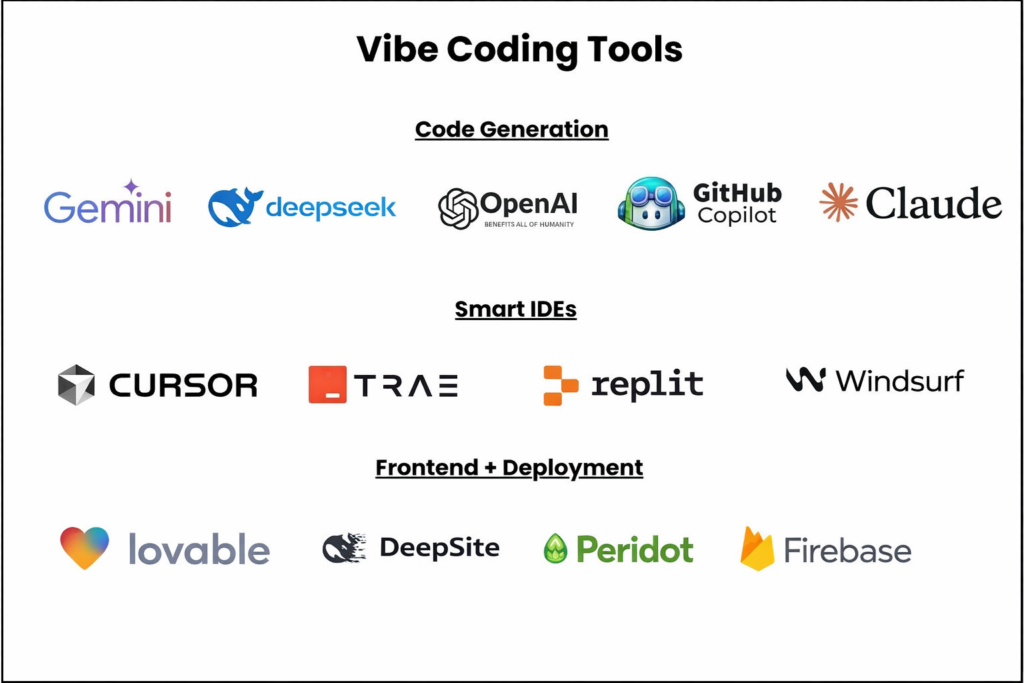
- The Death of the Drag-and-Drop Learning Curve: Natural language “vibe coding” (via tools like Cursor or Replit Agent) now handles the heavy lifting that used to require 40 hours of tutorials.
- The Enterprise AI Gap: Standard no-code platforms struggle with “Shadow AI”—where apps unknowingly leak proprietary data to public LLMs. This has birthed a need for secure layers like Peridot, which provide the enterprise-grade security and VPC deployment that basic builders lack.
- Unified Data Backends: We’ve moved away from “platform-locked” data. Modern builders now hook into external Supabase or Xano backends by default, preventing vendor lock-in.
- Edge Intelligence: No-code apps now run small-language models (SLMs) locally on the user’s device for instant, offline AI features.
- The MVP Standard: Analysts estimate that 82% of all new SaaS MVPs launched in 2026 are built on no-code or AI-assisted frameworks.
3: The 7 best no-code app builders in 2026 — compared honestly
Best No-Code App Builders Compared (2026)
| Platform | Best For | Scalability Ceiling | 2026 AI Features | The Verdict |
| Bubble | Complex Web Apps | High (with workload units) | AI-generated workflows | The powerhouse for serious SaaS. |
| Glide | Internal Business Tools | Medium (data row limits) | Integrated AI columns | Best for turning spreadsheets into apps. |
| FlutterFlow | High-perf Mobile Apps | Very High (Code export) | AI-to-Widget generation | The best for “Real” iOS/Android apps. |
| Webflow | Content-heavy Web Apps | Low (Logic is limited) | AI Site Designer | Great for beauty; bad for complex logic. |
| Adalo | Simple Mobile MVPs | Low (Performance lags) | Basic AI text components | Good for 1-week prototypes only. |
| Softr | Client Portals | Medium | AI-generated templates | The fastest way to build a functional UI. |
| Peridot | AI-Native Prompting | Unlimited (Pure Code) | Full-stack prompting | The best “Vibe Coding” entry point. |
4: How to choose — the decision framework
Choosing a platform based on a “top 10 list” is how you end up rebuilding from scratch in three months. Instead, ask these four questions:
- Does it need to be in the App Store? If yes, use FlutterFlow. If it’s for a browser, use Bubble.
- Is your data already in a spreadsheet? If yes, use Glide.
- Are you building a scalable SaaS? If yes, you need a backend like Xano and a frontend like Peridot or Webflow.
- What is your 12-month user ceiling? If you expect >10k concurrent users, you need a tool that allows code export to Github or an external database.
The “If/Then” Selection Logic
- If you need a native mobile app with offline mode, then choose FlutterFlow.
- If you are building an internal tool for 50 employees, then choose Glide.
- If you need a high-end design with a simple membership gate, then choose Webflow.
- If you want to “vibe code” a full-stack app from a prompt, then choose Replit or Peridot.
5: The hidden costs nobody talks about
No-code isn’t “free.” The costs move from the payroll to the infrastructure.
- Platform Lock-in: With Bubble or Adalo, you don’t “own” the code. If they raise prices 300% (as has happened in the past), you either pay or die.
- The AI Security Gap: This is the 2026 “silent killer.” When your no-code app connects to an LLM, employees may feed sensitive customer data into the prompt. Without a security layer like Peridot to sanitize inputs and isolate credentials, your no-code experiment becomes a massive liability.
- API Hunger: Most no-code apps are just “wrappers” for other services. Your $49/month platform fee doesn’t include the $1,000 OpenAI or AWS bill you’ll rack up when you scale.
6: The vibe coding alternative — when AI builds the app for you
“Vibe coding” is a term popularized by Andrej Karpathy to describe a shift where the developer acts more like a conductor than a writer.
No-Code vs. Vibe Coding:
- No-Code: You use the platform’s proprietary blocks. You are locked into their ecosystem.
- Vibe Coding: You describe the app to an AI (like Cursor or Windsurf). The AI writes the actual React or Python code. You own the files. You can host them anywhere.
The tradeoff is complexity. Vibe coding requires you to understand how to deploy a server. However, for teams building customer support infrastructure, using a tool like HelpViber on top of a vibe-coded app ensures you have a professional support layer ready the moment you go to market.
7: No-code for enterprise vs. startups — different games
For a startup, speed is the only metric that matters. Lock-in is a “high-quality problem” for next year.
For the enterprise, speed is secondary to compliance, security and control. Most no-code platforms fail the “Security Review” immediately because they host data on shared servers.
- The Solution: Enterprise teams are now moving toward “Isolated No-Code.” They use builders but deploy the output into a Private Cloud.
- Peridot’s Role: This is where Peridot bridges the gap. It allows enterprise teams to build AI-native apps with VPC deployment and full audit trails, satisfying SOC2/HIPAA requirements that standard no-code builders can’t meet.
8: How to launch your first no-code app — a realistic timeline
Building “in a weekend” is possible, but launching a product takes five days:
- Day 1: Selection & Wireframe. Don’t touch the builder yet. Map the user journey on paper.
- Day 2–3: The Core Build. Build the “Happy Path” first. Ignore the “Forgot Password” logic until the core value works.
- Day 4: The “Stress Test.” Give the app to 5 people who don’t love you. Watch them break it.
- Day 5: Deployment & Integration. Set up your analytics, your support layer (like HelpViber), and your security protocols.
What goes wrong: Most people spend 4 weeks on the logo and 4 hours on the database schema. If the database is messy, the app will be slow, regardless of the platform.
FAQ: Choosing a No-Code App Builder
Q: Can I migrate my app from Bubble to FlutterFlow later?
A: No. There is no “export” button between no-code platforms. You will have to rebuild the front end, though you can usually migrate your database.
Q: Is no-code cheaper than hiring a developer?
A: In the short term, yes (by 90%). In the long term, if you scale to millions of users, the platform “tax” can eventually exceed the cost of a custom-built AWS infrastructure.
Q: How do I handle AI security in a no-code app?
A: Use a dedicated AI application layer like Peridot to ensure your LLM calls are secure, logged, and compliant with enterprise data standards.
Pingback: No-Code vs Traditional Development: What You Actually Give Up - Peridot Blog
Pingback: How to Build Your First App Without Code: 2026 No-Code Guide - Peridot Blog
Pingback: No-Code App Development: The Complete 2026 Platform Comparison - Peridot Blog
Pingback: Best No-Code Mobile App Development Platform: Bubble vs. Glide vs. AppGyver vs. the Rest - Peridot Blog
Pingback: No-Code Application Development: From Idea to Published App in a Weekend - Peridot Blog