
The guide to using Lovable, Replit and Peridot
For twenty years, building an app meant you were either a “gatekeeper” (a developer) or you had to pay one. You needed five figures in the bank or three years of your life to learn a language like Swift or Java.
That gate just collapsed.
In 2026, the question isn’t whether you can build an app; it’s which visual tool you’ll use to ship it by Sunday. The no-code market has moved from a niche hobby to the dominant way software is created.
According to Gartner, 70% of new applications will be developed using AI Vibe Coding or low-code or no-code technologies by 2026, up from less than 25% in 2020. This democratization of tech means speed and ownership are finally in the hands of the founder, not just the engineer.
By the end of this guide, you’ll have a 7-step blueprint and know exactly which app creator no code platform fits your vision.
What “App Creator No Code” Actually Means in 2026
If you’ve already read our Definitive Guide to No-Code App Builders, you know the landscape has shifted. In 2026, “no-code” is no longer just dragging boxes.
- No-Code: Purely visual. You define the “What” and the “How” via menus and flows.
- Low-Code: Visual-first, but allows you to drop in snippets of JavaScript or Python for “edge case” features.
- Vibe Coding: The new frontier. You describe your app in plain English, and AI scaffolds the entire database and UI for you.
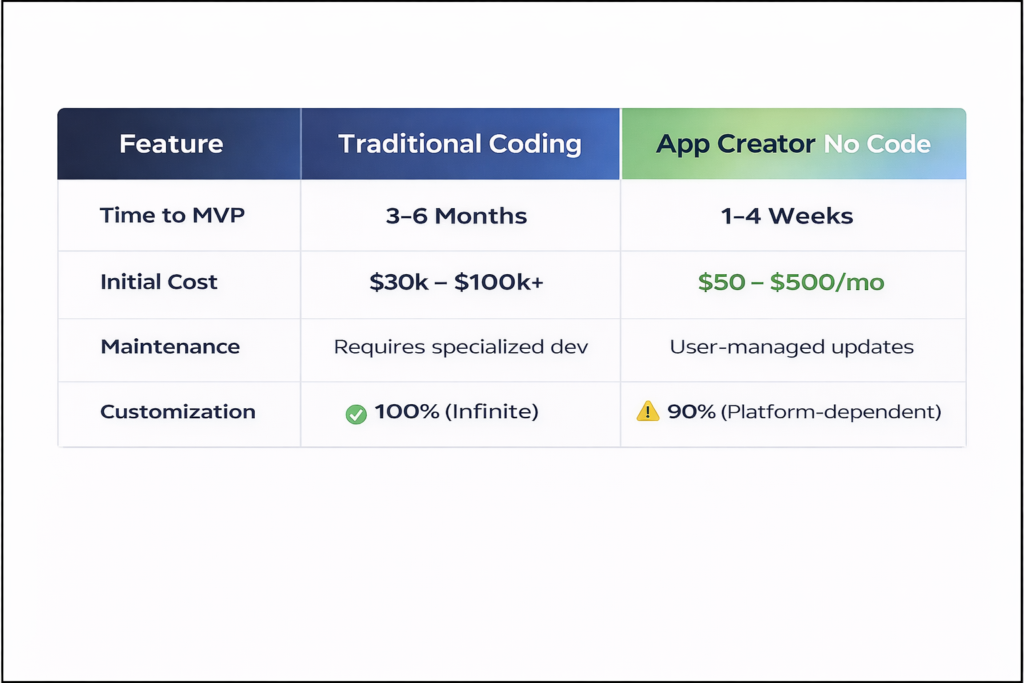
Comparison: Traditional Development vs. No-Code (2026)
| Feature | Traditional Coding | App Creator No Code |
| Time to MVP | 3–6 Months | 1–4 Weeks |
| Initial Cost | $30k – $100k+ | $50 – $500/mo |
| Maintenance | Requires specialized dev | User-managed updates |
| Customization | 100% (Infinite) | 90% (Platform-dependent) |
Define no-code development: An app creator no code is a development approach that allows anyone to build functional software using graphical user interfaces instead of traditional computer programming.
Can You Really Build a Real App Without Writing Code?
The skepticism usually sounds like this: “Is it just a fancy website?” The answer is no. Modern no-code apps are powerful enough to run VC-funded startups. However, honesty is the best policy—you need to know what you are trading for that speed.
What you CAN build:
- Marketplaces: Think Airbnb or Uber for [X].
- Internal Tools: Inventory trackers, custom CRMs, and HR portals.
- Community Apps: Niche social networks with profiles and messaging.
- SaaS MVPs: Software as a Service products with subscription gates.
Where you’ll hit walls:
- Complex Algorithms: If your app needs a proprietary AI model built from scratch (not just calling an API).
- Heavy 3D/Gaming: High-performance graphics still require game engines like Unity.
- App Store Edge Cases: Using obscure hardware sensors that platforms haven’t bridged yet.
Case Study: Comet (Freelance Marketplace) launched on Bubble and raised €14 million after delivering over 300 projects on a no-code stack.
The 7-Step Blueprint to Build Your First App Without Code
Step 1. Validate the Idea in 1 Hour
Don’t build a solution looking for a problem.
- The Framework: Identify a specific Problem > define the target User > verify Willingness to pay > run a 5-person test (ask 5 people if they’d use it today).
Step 2. Map Your App on Paper
Before touching an app creator no code tool, sketch your “User Flow.”
- Login Screen > Dashboard > Add Entry > Confirmation. Focus on the “Job to be Done,” not the color of the buttons.
Step 3. Choose Your Platform Based on App Type
| App Type | Best No-Code Builder | Why | Starts At |
| Native Mobile | FlutterFlow | Best performance & App Store reach | $39/mo |
| Complex Web App | Bubble | Deepest database & logic control | $59/mo |
| Internal Tool | Glide | Turn Google Sheets into apps in mins | $0/Free |
| Client Portal | Softr | Easiest UI over Airtable data | $0/Free |
Step 4. Build the Data Structure First
Think of your app as a brain. The database is the memory.
- Use the Airtable or Google Sheets analogy: A “User” table has columns for Email, Name, and Role. A “Post” table has columns for Title, Content, and Author.
Step 5. Design for Thumbs, Not Dribbble
Mobile users don’t use mice.
- 44px tap targets: Ensure buttons are big enough to hit.
- 1 action per screen: Don’t overwhelm the user.
Step 6. Add Logic With Visual Workflows
This is the “brain” of your app.
- Example: When “Submit” button clicked > Add row to “Leads” database > Send email via SendGrid. ### H3: Step 7. Publish Without XcodeIn 2026, you don’t need a Mac or a terminal to launch. Most tools like FlutterFlow or Bravo Studio offer one-click publishing to the Apple App Store and Google Play Store.
5 Best App Creator No Code Tools Tested for 2026
- Best for overall: Bubble
- Strength: Absolute power. If it can be built, Bubble can build it.
- Weakness: Steepest learning curve.
- Best for mobile apps: Glide
- Strength: Beautiful out of the box. Zero design skills needed.
- Weakness: Limited custom design freedom.
- Best for speed: Softr
- Strength: Build a functional portal in 10 minutes using Airtable.
- Weakness: Not meant for “complex” logic.
- Best for code ownership: FlutterFlow
- Strength: You can export the Flutter code if you ever decide to hire a developer.
- Weakness: Requires a basic understanding of how “widgets” work.
The New Layer: “Vibe Coding” and Peridot
The most exciting trend of 2026 is Vibe Coding. Instead of dragging blocks, you have a conversation.
How Companies Like Peridot Are Productizing “Vibe Coding”
While traditional tools give you the bricks, companies like Peridot are building the “Architect.” Peridot’s approach is prompt-to-product. You describe the “vibe” of the app, the job-to-be-done, and the target user. The system then generates:
- The Data Model (Database)
- The UI (The Look)
- The Logic (The Workflows)
According to 2026 Vibe Coding survey report, vibe coding reduces MVP development time from weeks to hours by removing the “blank canvas” paralysis.
Common Mistakes That Kill No-Code Apps
- Building for Everyone: Launch for a niche first.
- Ignoring Apple’s Guideline 4.2: Apple rejects apps that provide “minimum functionality.”
- The Fix: Don’t just wrap a website. Add native features like push notifications or GPS.
- Scaling Too Early: Don’t worry about 1 million users when you have zero. Most no-code tools handle 10k users easily.
How to Monetize in the First 30 Days
- Subscriptions: Integrate Stripe (most builders have a 1-click Stripe integration).
- The Math: 100 users at $19/mo = $1,900 MRR. That pays for your tools and your marketing.
Stripe no-code integration tutorial: You can now launch a payment link or a full checkout flow without writing a single line of backend code.
Your 48-Hour Launch Checklist
| Timeframe | Task | Done? |
| Day 1 AM | Validate idea + Wireframe on paper | [ ] |
| Day 1 PM | Set up Database + Pick Builder (Bubble/Glide) | [ ] |
| Day 2 AM | Build core “Happy Path” workflow | [ ] |
| Day 2 PM | Connect Domain + Send to 5 Beta Testers | [ ] |
FAQ: App Creator No Code
Is no-code cheaper than hiring a developer?
Yes. A developer might cost $10k+ for an MVP. A no-code tool costs roughly $50–$200/month.
Do I own the code?
It depends. Tools like FlutterFlow allow code export. Tools like Bubble own the “engine,” but you own the data and logic. As we discussed in our No-Code vs. Traditional Development comparison, lock-in is the trade for speed.
Will Apple reject my no-code app?
Not if it’s high quality. Thousands of no-code apps are in the App Store today. Just ensure you aren’t just “wrapping” a website.
Next Steps: Download our 48-Hour No Code Launch Checklist or take our Tool Quiz to find your perfect builder.